[cd ~]
# moon lamp
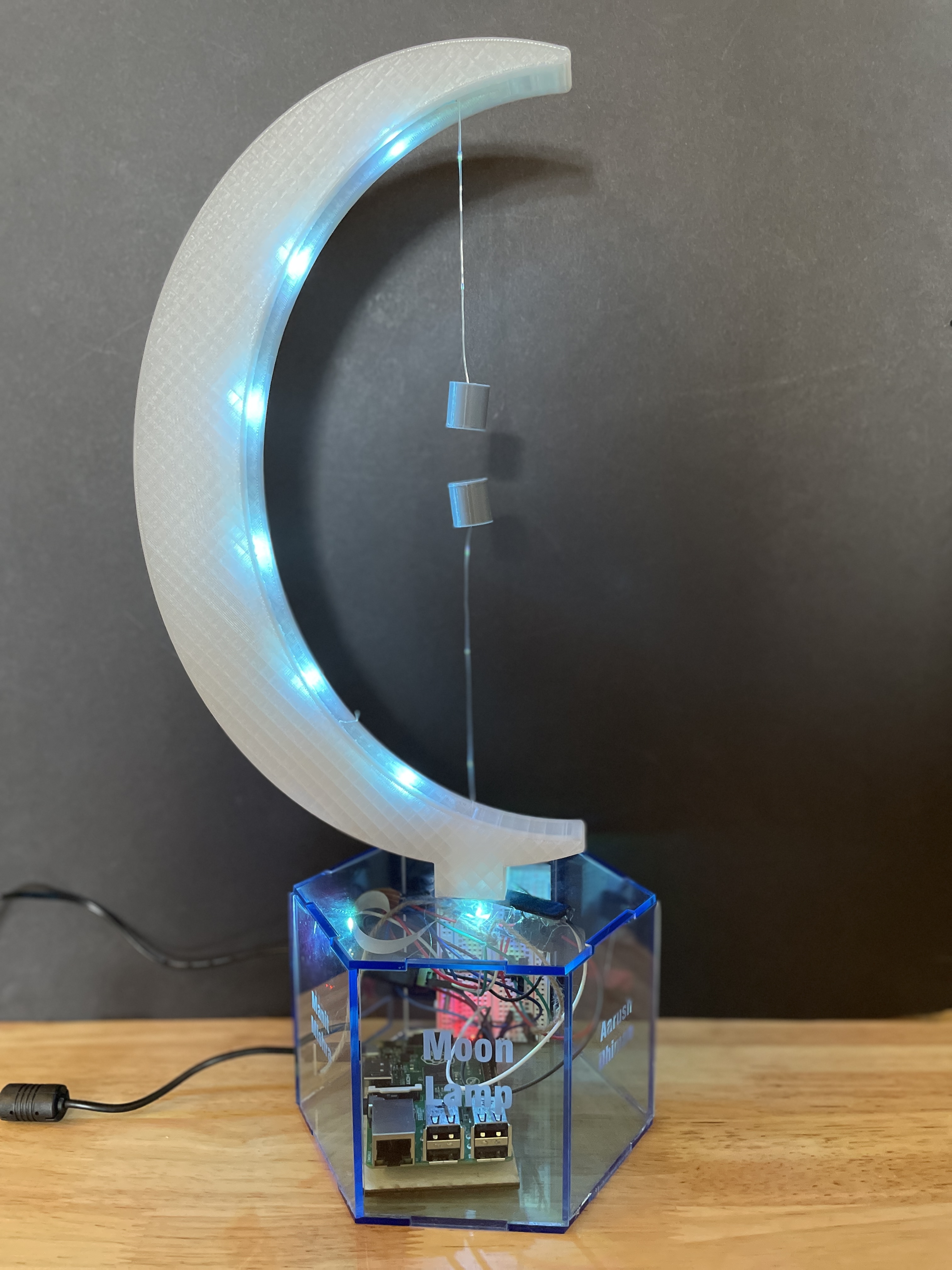
Moon Lamp is a fun lamp, providing a conversation-sparking piece that can be put anywhere in your home.
2024 · 87 views
[github]
Displayed at Maker Faire 2023, City of Fremont Engineering Expo 2024
Introduction
Introducing the Moon Lamp, an innovative project that combines mechanical engineering and software engineering to create not just a lamp, but a conversation starter. Utilizing magnets for an eye-catching display, this lamp is a statement piece perfect for any room.
Supplies Needed
- Raspberry Pi 3B+
- Jumper cables
- Bread Board
- MOSFET
- LED Strip
- 3D Printer (We used a PRUSA XL)
- Fishing Wire
- Hot Glue, Contact Adhesive, Acrylic Cement
- HDMI Cable
- 8x Circular Neodymium Magnets
- Plastic Clamps
- 1/4 inch wood and Acrylic
- Power Adapter
- Autodesk Fusion 360
Building Process
Step 1: Creating a 3D Moon
Insight: Opted for a 3D-printed moon using Prusament Galaxy Silver to match our vision. The process involved designing in Fusion 360, extruding a crescent shape, and preparing the model for printing.
Assembly: Gluing the two printed halves together and securing them with clamps.
Step 2: Cork & Magnet Assembly
Purpose: To house the magnets with precision for effective attraction.
CAD/Design Process: Measurements were taken, and designs were adjusted in Fusion 360 to fit the magnets snugly.
Assembly: Magnets were placed inside the cork, which was then sealed with adhesive.
Step 3: Laser Cut Box
Purpose: To create an aesthetically pleasing housing for the components.
Process: Designed with Maker Case and cut from acrylic, ensuring space for component visibility and access.
Step 4: LED Strip Setup
Setup: Involved cutting, soldering, and configuring an LED strip with MOSFETs and resistors for safe operation with the Raspberry Pi.
Step 5: Limit Switch Mechanism
Component: A crucial element that activates the lamp's lights upon magnetic contact.
Step 6: Raspberry PI Code
Utilized the PIGPIOD library for LED control, highlighting the software engineering aspect of the project.
sudo apt-get install build-essential unzip wget
wget http://abyz.me.uk/rpi/pigpio/pigpio.zip && unzip pigpio.zip && cd PIGPIO && sudo make install